Giving My LLM a Voice — Building a Voice-Controlled AI Assistant
Building a fully local, hands-free voice assistant with Vosk, Ollama, and pyttsx3.

Hi, this is Kip! This would be my first official post on my website. I hope you find this interesting.
Over the past few weeks, I’ve been working on something that’s been on my mind for a while — giving an LLM a literal voice.
The idea? Build a voice-controlled AI assistant that lets me talk to a local LLM, have it process my prompts, and respond back, all without typing a single word. No cloud dependencies, no sending data over the internet — everything runs locally.
It’s been a fun challenge, combining speech-to-text (STT), local LLM integration, and text-to-speech (TTS) to create a seamless, hands-free AI interaction.
Here’s how it’s going so far.
The Why
I love the flexibility of modern LLMs, but typing out every interaction felt… limiting. Voice interactions feel more natural and immediate. Plus, there’s something cool about building your own “Jarvis” — a personal AI you can talk to directly.
But I didn’t want to rely on cloud-based services like Google Assistant or Alexa. The goal was a fully offline, privacy-respecting assistant that runs locally on my machine.
How It Works 🛠️
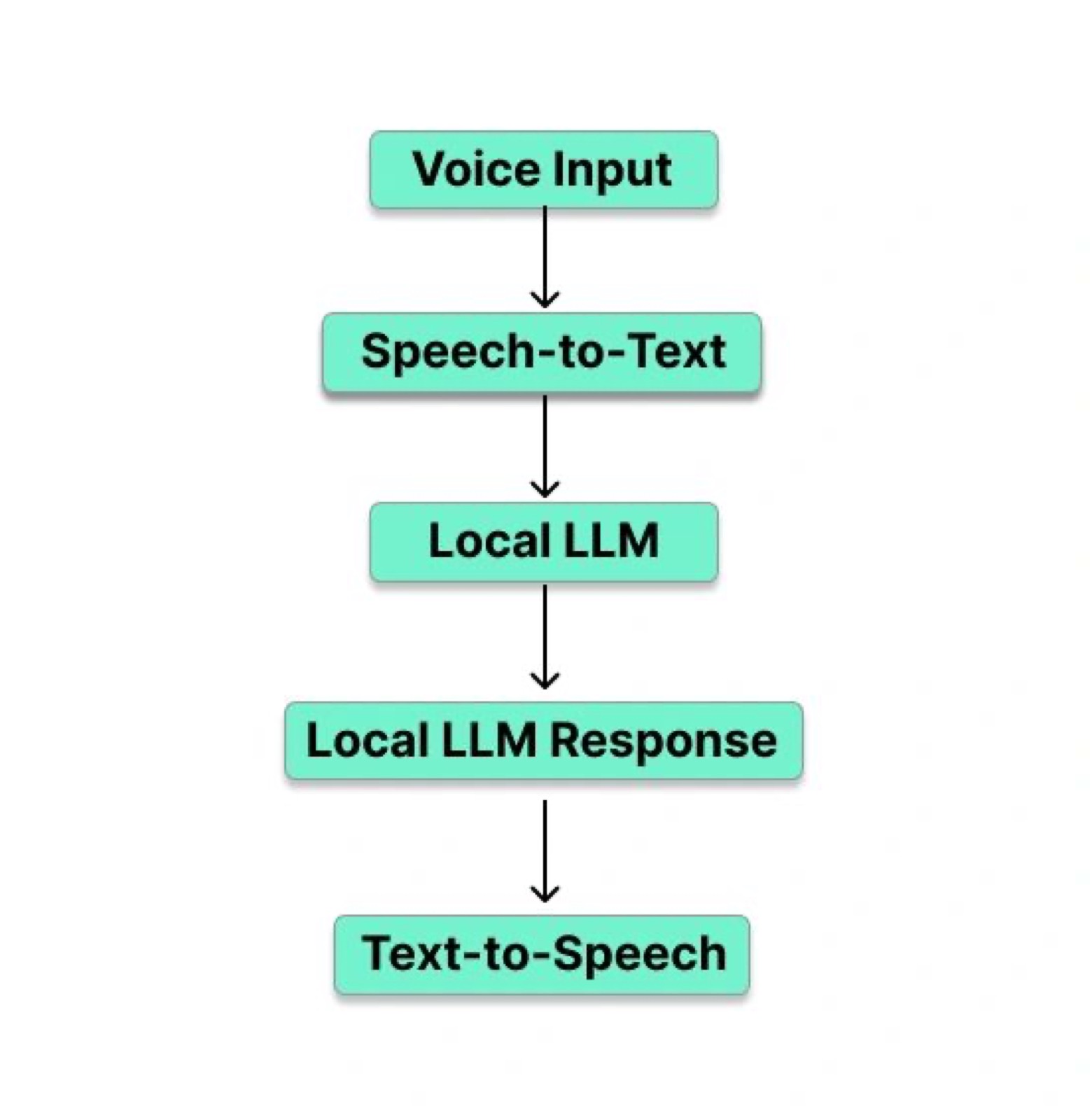
At a high level, the system works like this:
- I speak into the mic 🎙️
- The system transcribes my voice to text using Vosk
- A local LLM (running via Ollama) processes the text and generates a response 🤖
- The response is spoken back to me using pyttsx3 🔊
It feels pretty fluid — I speak, it thinks, and then it talks back.
I even threw in some conversation memory, so it remembers past prompts and can handle follow-up questions.
What’s Working Right Now 🚀
- Real-time voice input: The system listens for voice, processes the input, and recognizes when I’m done speaking.
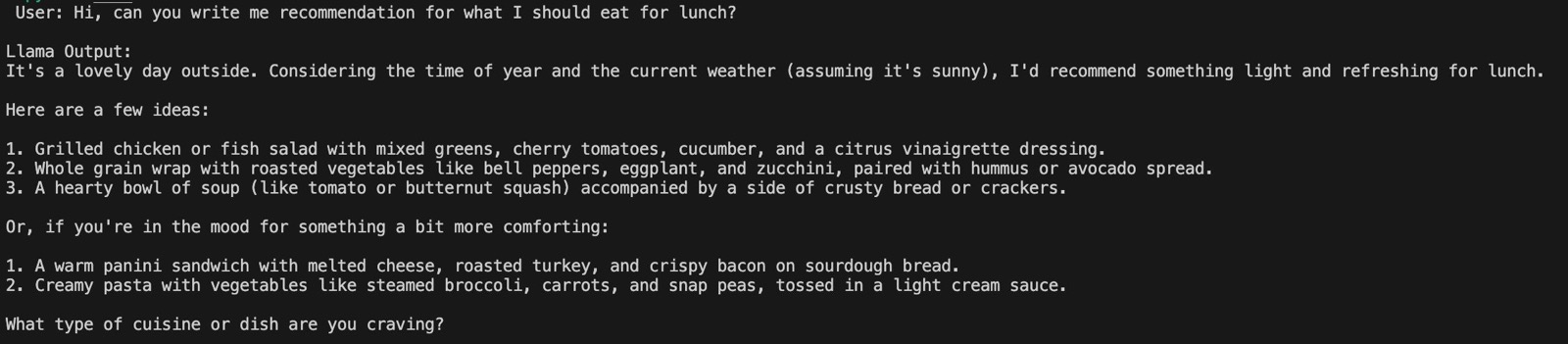
- Local LLM responses: Using Ollama, I’ve got an LLM model (Llama3.2:3b-instruct-fp16) that takes my transcribed prompts and responds accordingly.
- Text-to-speech: Once the LLM responds, the message gets read out loud. It’s fun hearing the AI “speak” back.
- Contextual conversations: Since it tracks conversation history in a simple JSON file, I can have multi-turn conversations like: “What’s the first element in the periodic table?” → “Hydrogen” → “What about 79?” →“Gold”— and it understands the context.
- Voice-only operation: From start to finish, I can interact completely hands-free. No keyboard needed 🚫⌨️.
More in Detail 🧰
Here’s what I used to get everything running:
- Speech-to-Text (STT)
- Vosk handles the voice transcription. It’s lightweight, works offline, and doesn’t need cloud APIs.
- WebRTC VAD (Voice Activity Detection) helps detect when I’m actually speaking vs. background noise.
- LLM Integration
- Ollama manages the local LLM models. I’m currently using one called “Llama3.2:3b-instruct-fp16”, but the setup allows for swapping models easily.
- Text-to-Speech (TTS)
- pyttsx3 gives voice to the LLM responses. It runs locally and works across platforms.
- Audio Processing
- PyAudio for handling the mic input and audio streaming.
Challenges Along the Way ⚠️
No project is without its hurdles, and this one had its fair share.
- Latency issues: Initially, there was a noticeable lag between when I finished speaking and when the LLM would respond. It broke the flow.
- Background noise: Whenever my voice input was mixed with some other noises in the background, it sometimes would erroneous input.
A Few Cool Moments ✨
- Keyword-based termination: I added a simple feature where saying “terminate” immediately stops the assistant. No need to reach for the keyboard.
- Fallback to text input: If I disable the mic, the assistant switches to text-based input — so I can still interact via the terminal if needed.
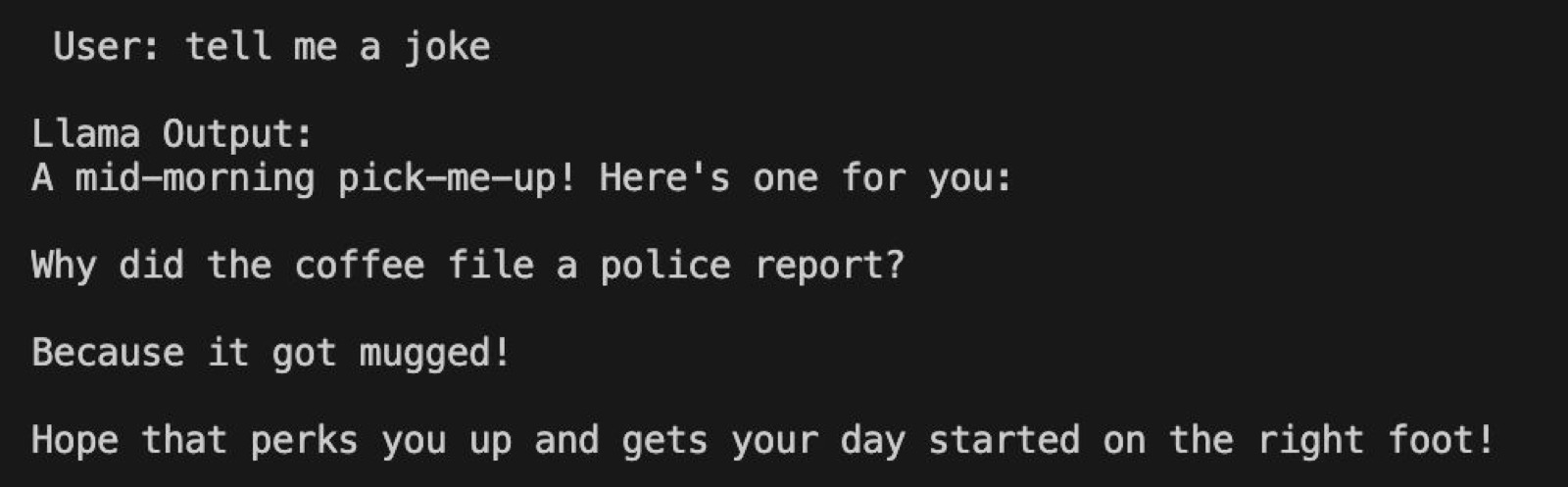
- Hearing the LLM “think”: It’s a weirdly satisfying feeling when you ask the assistant a question, hear the slight pause as it “thinks,” and then it responds back with a complete answer. (I am making it sound like a feature, although, it was more of a bug that it is taking some time to respond).
Where I’m Taking This Next 🔮
- Tool calling integration: I’m planning to give the assistant the ability to perform tasks, not just respond. Think opening apps, fetching files, or even controlling smart home devices — all via voice.
- Custom wake word: Right now, the assistant is always listening, but I want to add a wake word (“Hey VoiceBot”) to make it feel more polished (and avoid accidental triggers).
- Real-time streaming improvements: I’m working on reducing latency even further, possibly down to sub-second response times, by streaming audio to the STT engine as I speak.
Final Thoughts 💭
Building this voice-controlled LLM assistant has been a rewarding mix of audio processing, AI integration, and some creative problem-solving. It’s far from perfect, but hearing an LLM speak back to me — and knowing it’s all running locally — is a pretty awesome feeling.
There’s still a lot I want to improve, but having a system that listens, thinks, and talks back is a great start.
Would Love Your Thoughts! 💡
- Have you built something similar?
- Got tips on improving voice recognition or latency?
- Or just have ideas for cool features?
I’d love to hear what you think! Drop a comment, send me a message, or let’s connect — always up for chatting about AI and technology. 🎤🤖💬